
Your account
Plans, storage and devices
What an organisation's plan sets, seats, devices per seat and attachment storage, and where to see how much of each you are using in Obsidian.
Plans belong to an organisation, not to a person. You can be in several organisations, and you take one seat in each. The current plans and prices are on the pricing page.
What a plan sets
- Seats — how many people can be in the organisation.
- Devices per seat — how many computers and phones each person can sync from. A device is one machine; the vaults on it share its place.
- Attachments — whether images and other files sync at all, and how much storage they have. Text always syncs, on every plan, including Free.
Where to see what you are using
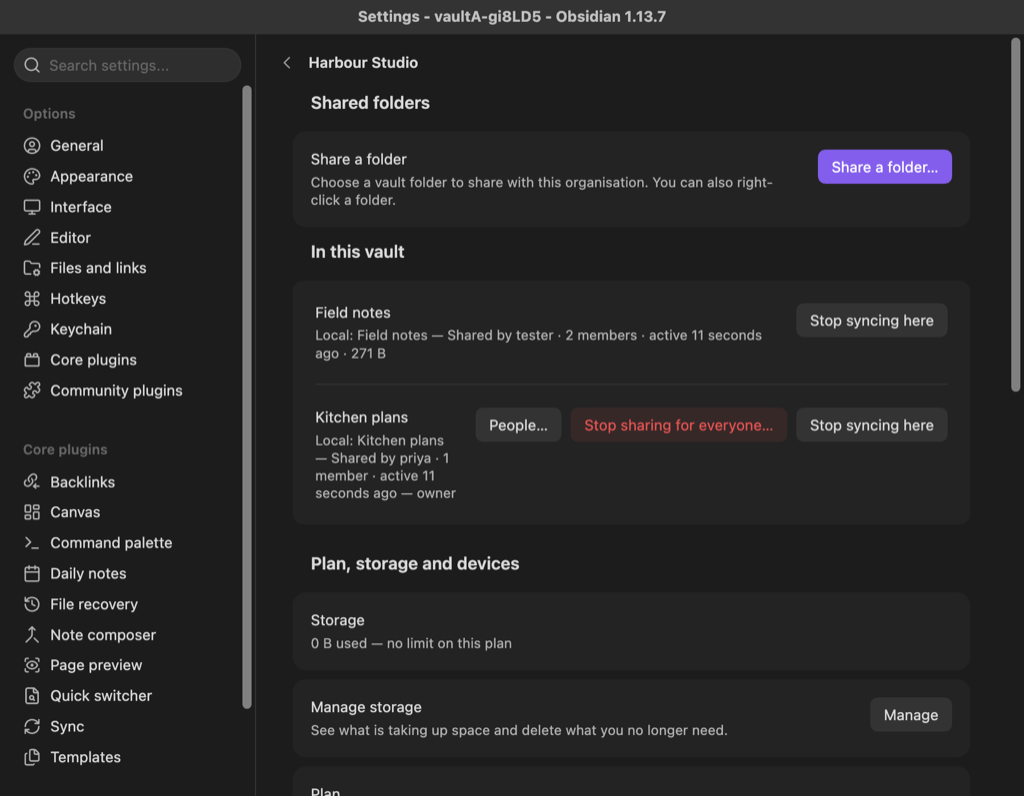
- Open Settings, choose Nectenda, and open the organisation under Organisations.
- The Plan, storage and devices section, at the foot of the page, shows:
- Storage — how much is used, with a bar, and Manage storage beneath it.
- Plan — the plan, and how many seats are taken.
- Subscription — the billing term and when it renews, with Change plan and Manage subscription.
- People — everyone who holds a seat.
- Devices — how many device slots are in use, and every device with the vaults on it.
When you run out
- Seats: nobody new can join until a seat is freed or the plan grows.
- Devices: a new device does not sync that organisation until you remove an old one. See Device limit reached.
- Storage: new attachments wait until there is space. Manage storage shows what is using it.
If you stop paying
The organisation moves to the Free plan. Nothing is deleted and nobody is removed. Text keeps syncing, and attachments already uploaded can still be downloaded; new attachment uploads stop.