
Share and collaborate
Invite someone to a folder
Invite a person to a shared folder by email. Someone new gets an invitation and has the folder as soon as they join; your vault sends them its key.
One invitation does everything: it brings the person into your organisation if they are new, gives them the folder, and, once they have joined, shares the folder's key with them.
Before you start
- You own the folder. See Share a folder.
- To invite someone who is not in your organisation yet, you also need to be an owner or admin of the organisation. Anyone who owns the folder can add people who are already in it.
- Their email address — the one they will sign in with.
Steps
- In the file explorer, right-click the shared folder and choose Nectenda: Invite to folder…. Or open the command palette and run Nectenda: Invite someone to a shared folder…, or open Settings → Nectenda, choose the folder under This vault, and choose Invite… under People.
- In Email address, type their address.
- In Role, choose Editor or Owner. Owners can also invite and remove people. See People and roles.
- Choose Send invitation.
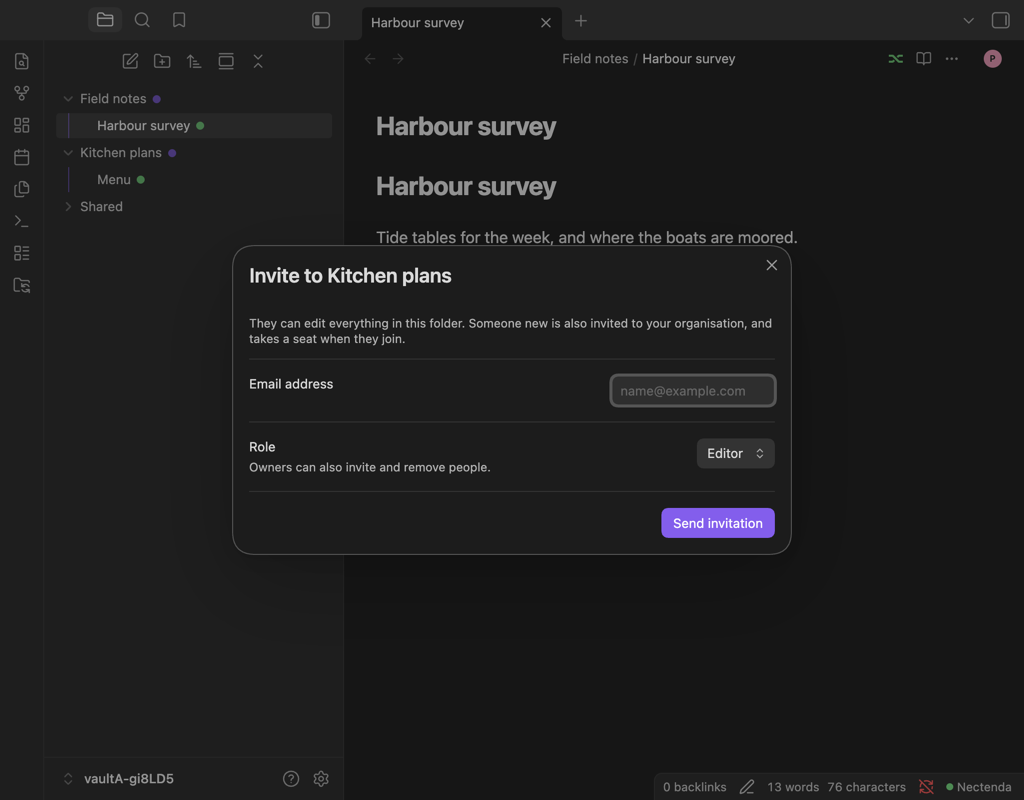
Check the result
- Someone new gets an email, and the invitation also waits in their Nectenda settings. As soon as they join, they are in the folder.
- Someone already in your organisation is added straight away, and a notice says they can now open the folder.
Either way, your vault shares the folder's key with them automatically the next time it is open after they have joined, and a notice says so. Until then they see the folder as waiting. See Waiting for a key.
To see who is still to arrive, right-click the folder and choose Nectenda: People…. Invitations nobody has accepted yet are listed under Invited, with Revoke beside each.
Troubleshooting
It says only an owner or admin can invite someone new
You own the folder but not the organisation. Ask an owner or admin of the organisation to invite them, or to make you an admin.
They joined, but the folder has not appeared for them
Their key has not been shared yet. Open this vault, with your passphrase entered, and wait a minute. See Waiting for a key.
A notice says their key has changed
Nothing was shared. Compare keys with them before going further: see Compare encryption keys.
The invitation expired
Invite them again. An invitation lasts 14 days.